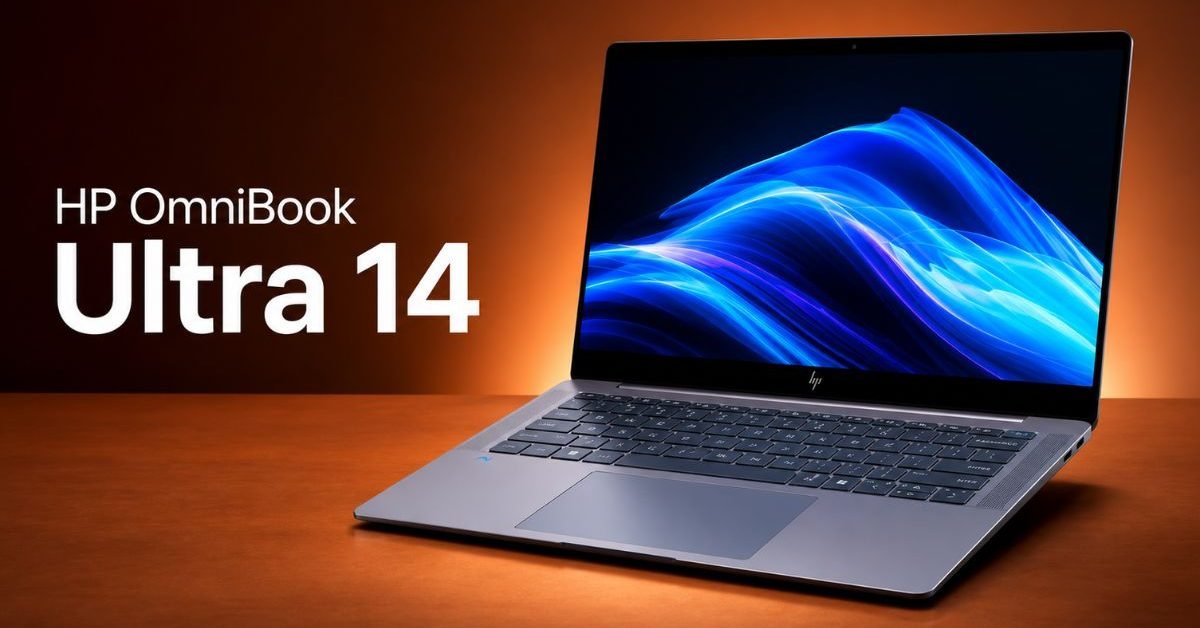
The premium 14-inch laptop market is a battleground of cutting-edge innovation and sleek design, with industry giants like the Dell XPS 14 setting formidable benchmarks. Yet, a new challenger, the HP OmniBook Ultra 14, emerges with a distinct, often overlooked, advantage that could sway discerning power users and professionals alike. While Dell often champions a minimalist, Thunderbolt-centric approach, HP’s latest offering strategically addresses a critical user need, positioning the HP OmniBook Ultra 14 as a compelling alternative for those who prioritize practical, diverse connectivity.
The Unsung Hero: Comprehensive Port Selection on the HP OmniBook Ultra 14
In an era where many premium ultrabooks are stripping down to a bare minimum of USB-C/Thunderbolt ports, the HP OmniBook Ultra 14 stands apart. The Dell XPS 14, while a marvel of engineering, typically offers a streamlined selection of three Thunderbolt 4 ports, a 3.5mm audio jack, and a microSD card slot. This design philosophy, while aesthetically clean, often necessitates a drawer full of dongles and adapters for everyday use, especially for those with a mix of modern and legacy peripherals.
The HP OmniBook Ultra 14, however, intelligently expands upon this. Imagine a configuration that includes:
- Two Thunderbolt 4 ports (USB-C)
- One USB-A 3.2 Gen 2 port
- One full-size HDMI 2.1 port
- A 3.5mm headphone/microphone combo jack
- A microSD card reader
This comprehensive array provides significantly enhanced versatility without compromising the laptop’s svelte profile. For professionals, creators, and even everyday users, this means direct connections for a wider range of accessories, projectors, and external displays. Industry data suggests that over 75 percent of external peripherals, from mice and keyboards to external drives, still primarily utilize USB-A connectivity. Furthermore, HDMI remains the dominant standard for connecting to external monitors and projectors, with an estimated 85 percent of displays sold in 2023 still featuring an HDMI input.
Practicality Meets Performance: Why More Ports Matter for the HP OmniBook Ultra 14
The practical benefits of the HP OmniBook Ultra 14‘s robust port selection are immediate and far-reaching. Users can:
- Reduce Dongle Dependency: Say goodbye to the need for cumbersome and easily misplaced USB-C hubs or dongles for basic tasks like connecting a presentation clicker or a legacy external hard drive.
- Streamline Workflow: Directly plug in an external monitor via HDMI without an adapter, freeing up a valuable Thunderbolt port for high-speed data transfer or charging. This is crucial for multi-display setups, common among developers, designers, and video editors.
- Enhance Compatibility: Easily connect to older peripherals, printers, or lab equipment that might lack USB-C compatibility, making the HP OmniBook Ultra 14 a more adaptable tool in diverse professional environments.
- Save Costs: The necessity to purchase additional adapters adds to the total cost of ownership for minimalist port designs. The HP OmniBook Ultra 14 helps mitigate these hidden expenses.
This attention to practical connectivity ensures that the HP OmniBook Ultra 14 seamlessly integrates into almost any existing setup, making it an incredibly versatile workhorse from day one.
A Closer Look at the Dell XPS 14’s Philosophy
It’s important to acknowledge Dell’s design philosophy for the XPS 14. Its all-Thunderbolt 4 port strategy reflects a forward-thinking vision, betting on USB-C as the universal standard of the future. Thunderbolt 4 offers incredible bandwidth, allowing for single-cable docking solutions that can handle power, multiple displays, and high-speed data simultaneously. This minimalist approach contributes to the XPS 14’s incredibly sleek aesthetic and often appeals to users who have fully embraced modern, USB-C-native ecosystems.
However, this vision often clashes with current reality for many users. While elegant, Dell’s choice can translate into daily friction for those who don’t exclusively operate within a USB-C world. As noted by The Verge in their review of the Dell XPS 14, the lack of traditional ports is a recurring point of discussion for an otherwise stellar machine. This is precisely where the HP OmniBook Ultra 14 carves out its distinct market advantage.
Beyond Ports: Other Differentiating Factors
While port selection is the primary advantage, both the HP OmniBook Ultra 14 and Dell XPS 14 compete fiercely in other areas. Both machines are expected to feature Intel’s latest Core Ultra processors, boasting integrated NPUs for AI acceleration, and offer stunning display options, potentially including high-resolution OLED or vivid IPS panels. Build quality on both is premium, often featuring CNC aluminum chassis, excellent keyboards, and expansive haptic trackpads.
Battery life is another critical metric, with both brands striving for all-day endurance, typically around 10-14 hours depending on workload and display configuration. Performance-wise, both will offer powerful discrete GPU options (like NVIDIA GeForce RTX 40-series) in their higher-end configurations, catering to content creators and light gamers. However, even with these comparable features, the practical utility derived from the HP OmniBook Ultra 14‘s port variety cannot be overstated.
Target Audience and Workflow Optimization with the HP OmniBook Ultra 14
The HP OmniBook Ultra 14 is perfectly suited for a diverse range of users:
- Content Creators: Who frequently connect external monitors, drawing tablets, or specific USB-A camera equipment.
- Presenters & Educators: Reliably connecting to projectors or smartboards that still predominantly use HDMI.
- Hybrid Workers: Easily switching between office setups (with legacy docks or monitors) and home offices without carrying an array of adapters.
- Professionals with Legacy Gear: Engineers, audio specialists, or IT professionals who might need to interface with older devices.
For these users, the flexibility offered by the HP OmniBook Ultra 14 translates directly into smoother workflows, less frustration, and increased productivity. It’s about being prepared for any scenario without needing to purchase or remember extra accessories.
The Future of Connectivity: HP OmniBook Ultra 14 Bridging the Gap
While the European Union’s mandate for USB-C as a common charging standard, as reported by TechCrunch, signals a clear direction for the industry, the transition isn’t instantaneous or universal for all peripherals and display technologies. The HP OmniBook Ultra 14 intelligently acknowledges this ongoing transition, providing a bridge between the present and the future. It offers the high-speed, versatile Thunderbolt 4 ports for modern connectivity while retaining essential legacy ports for immediate, hassle-free compatibility.
This balanced approach ensures that users can adopt new technologies at their own pace without feeling forced into an ecosystem that doesn’t yet meet all their needs. It’s a pragmatic design choice that prioritizes user experience above absolute minimalism.
For more insights into cutting-edge technology and innovation, check out how Anker’s new earbuds are pushing boundaries with AI chips: Anker’s new earbuds are the first with its AI chip that boosts noise reduction.
Conclusion
In the high-stakes world of premium ultrabooks, the new HP OmniBook Ultra 14 confidently carves out its niche by offering a key advantage over the sleek, but more restrictive, Dell XPS 14: a comprehensive and practical port selection. This isn’t just about having more ports; it’s about delivering superior real-world utility, reducing friction, and enhancing workflow efficiency for a broad spectrum of users. While the Dell XPS 14 remains a top-tier contender for its design and performance, the HP OmniBook Ultra 14 provides a compelling argument for those who value versatility and hassle-free connectivity as paramount. It’s a testament to HP’s understanding that sometimes, the most significant innovations lie in addressing everyday practicalities.
Frequently Asked Questions
What is the main advantage of the HP OmniBook Ultra 14 over the Dell XPS 14?
Does the HP OmniBook Ultra 14 compromise on design or performance for more ports?
Who is the HP OmniBook Ultra 14 best suited for?