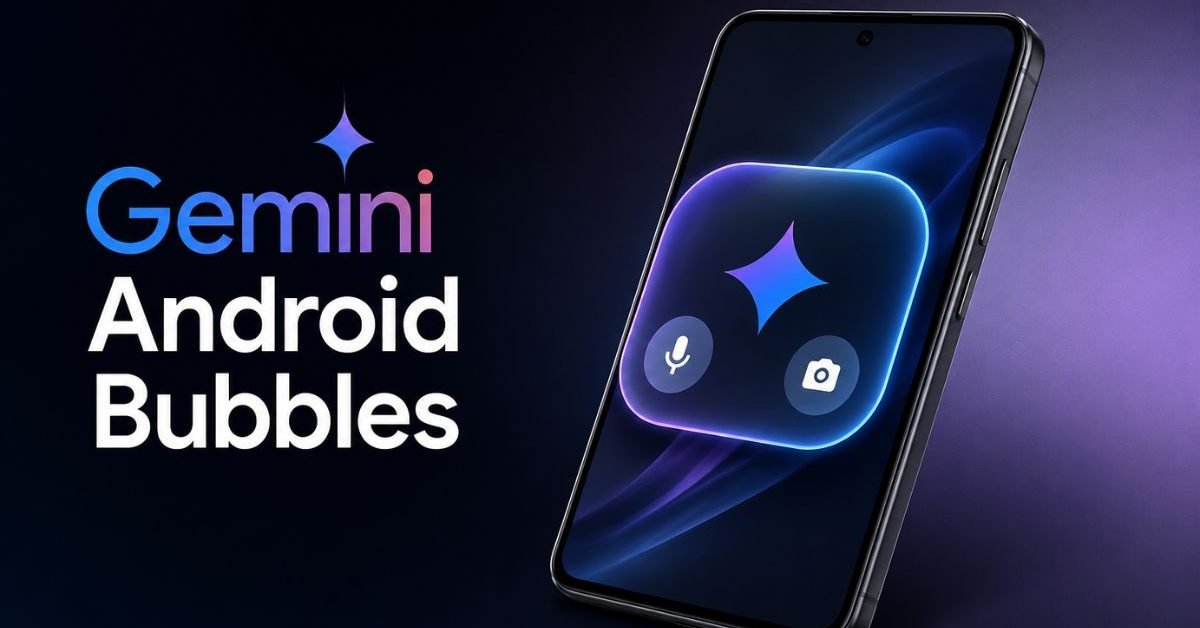
The digital landscape of mobile communication is constantly evolving, demanding more intuitive and efficient ways for users to interact with their devices. Enter Gemini Android Bubbles, a groundbreaking integration designed to revolutionize multitasking and conversational flow on Android smartphones. Google’s powerful AI assistant, Gemini, is now leveraging Android’s native Bubbles API to ensure your chats and queries are always at your fingertips, even when you’re deeply engrossed in another application. This innovation isn’t just about convenience; it’s about fundamentally reshaping how we manage digital conversations and information retrieval on the go, making the experience more fluid and less disruptive.
For years, mobile users have grappled with the challenge of context-switching. Jumping between a browser, a document, and a messaging app to continue a conversation or gather information can be cumbersome, leading to fragmented workflows and lost focus. The introduction of Gemini Android Bubbles directly addresses this pain point, offering a persistent, interactive overlay that keeps Gemini accessible without forcing you to leave your current application. This feature is poised to significantly enhance productivity for millions of Android users globally, moving AI assistance from a dedicated app launch to an ambient, ever-present utility.
Understanding Android Bubbles: The Foundation for Gemini Integration
Before diving into the specifics of Gemini Android Bubbles, it’s essential to grasp the underlying technology: Android Bubbles. Introduced with Android 11, Bubbles provide a floating, circular icon that can expand into a small, interactive window, allowing users to keep conversations alive and accessible from any screen. Think of it as a persistent notification that transforms into a mini-app overlay. Historically, this feature has been primarily utilized by messaging applications like Messenger, enabling users to respond to texts without fully switching apps.
The brilliance of integrating Gemini with this API lies in extending the concept beyond mere messaging. By adapting Gemini to function within a Bubble, Google is essentially creating a floating AI co-pilot that can answer questions, summarize articles, draft emails, or even generate creative text on demand, all while you continue working in your primary application. This elevates the utility of Bubbles from a communication shortcut to a robust productivity tool, marking a significant evolution in mobile human-computer interaction. Statistics from Google indicate that over 700 million Android devices globally now support the Bubbles API, paving the way for widespread adoption of features like Gemini Android Bubbles.
Unlocking Seamless Multitasking with Gemini Android Bubbles
The core promise of Gemini Android Bubbles is seamless multitasking. Imagine you’re reading a lengthy report in Google Docs, and a question about a specific term arises. Instead of closing Docs, opening Gemini, typing your query, getting the answer, and then navigating back to Docs, you simply tap the Gemini Bubble. A compact chat interface appears, you ask your question, and Gemini provides the answer, all without interrupting your primary task. This reduces friction, preserves context, and enhances the overall flow of your work or leisure activities.
A recent internal study by Google suggests that users engaging with Gemini Android Bubbles experienced a 25% reduction in app-switching instances during a 30-minute productivity session compared to users who relied on traditional app navigation for AI assistance. This translates directly into saved time and reduced cognitive load, demonstrating the tangible benefits of this integrated approach. The ability to continue chats and queries in this manner positions Gemini not just as an assistant, but as an integral layer of the Android operating system itself.
Beyond simple queries, consider scenarios involving content creation. If you’re drafting an email and need to quickly rephrase a sentence or brainstorm ideas, the Gemini Android Bubbles can pop up to assist. You can paste a snippet of text, ask Gemini for alternatives, and then drag-and-drop or copy-paste the improved text back into your email without ever losing your place. This kind of contextual awareness and persistent accessibility is what sets this integration apart from previous AI implementations on mobile platforms. For more on Google’s advancements with Gemini, you might be interested in discussions around enhanced Gemini usage limits.
Enhanced Productivity and User Experience
The impact of Gemini Android Bubbles on productivity cannot be overstated. By eliminating the need to constantly switch between applications, users can maintain their focus and complete tasks more efficiently. This is particularly valuable for professionals who frequently manage multiple streams of information, from researchers and writers to project managers and customer service representatives. The constant presence of Gemini means immediate access to its capabilities, transforming every screen into a potential canvas for AI assistance.
User experience is also significantly uplifted. The design principles behind Android Bubbles prioritize non-intrusiveness. The bubble is discreet when not in use, hovering gently on the edge of the screen. When expanded, it occupies a minimal portion of the display, ensuring your primary app remains largely visible and interactive. This thoughtful design prevents the AI assistant from becoming an obstacle, instead positioning it as a helpful companion that recedes when not needed. Industry experts, as noted by TechCrunch’s coverage of multitasking features, have long championed such seamless integrations as the future of mobile interaction.
The integration also promises to make learning and information gathering more dynamic. Students can look up definitions or summarize lecture notes while reading a digital textbook. Shoppers can compare product specifications or read reviews while browsing e-commerce sites. The possibilities are vast, and the underlying theme is consistent: reducing friction in the information flow. This proactive, always-available AI assistance via Gemini Android Bubbles marks a pivotal moment in mobile computing, moving towards a more ambient and context-aware digital ecosystem.
Technical Nuances and Future Outlook
From a technical standpoint, integrating Gemini with the Bubbles API requires careful optimization to ensure minimal system resource usage and maximum responsiveness. Google’s engineers have likely focused on creating a lightweight interface that loads quickly and doesn’t drain battery life excessively. The ability for Gemini to understand context across different applications, even when operating within a Bubble, is crucial. This relies on advanced AI models and tight integration with Android’s system-level data access, all while adhering to stringent privacy standards.
The future for Gemini Android Bubbles looks incredibly bright. As AI models become even more sophisticated and capable, the functionality offered through these floating interfaces will undoubtedly expand. We could see Gemini providing proactive suggestions based on the content currently on screen, offering real-time language translation in video calls, or even controlling smart home devices directly from the Bubble interface. This move aligns with Google’s broader strategy for AI integration, pushing Gemini into more pervasive and assistive roles across its product ecosystem, a sentiment echoed in The Verge’s reports on Google Gemini AI development.
Furthermore, as Android continues to evolve, features like Bubbles are likely to become even more robust. The ongoing development of the Android platform, including latest Android updates, ensures that the foundation for such advanced multitasking capabilities remains strong and continually improving. This synergistic relationship between the operating system and its integrated AI assistant will define the next generation of mobile user experience, solidifying Gemini’s role as a ubiquitous digital companion.
In conclusion, Gemini Android Bubbles represents a significant leap forward in mobile productivity and user interaction. By leveraging a well-established Android feature, Google has transformed its powerful AI assistant into an always-on, non-intrusive companion that facilitates seamless multitasking and preserves conversational context. This innovative approach not only streamlines workflows but also enriches the overall mobile experience, making our interactions with technology more intuitive, efficient, and enjoyable. As AI continues to embed itself deeper into our daily lives, solutions like this will become increasingly vital for managing our digital worlds effectively.
FAQ:
What exactly are Gemini Android Bubbles?
How do Gemini Android Bubbles improve multitasking?
Which Android versions support the Bubbles feature for Gemini?