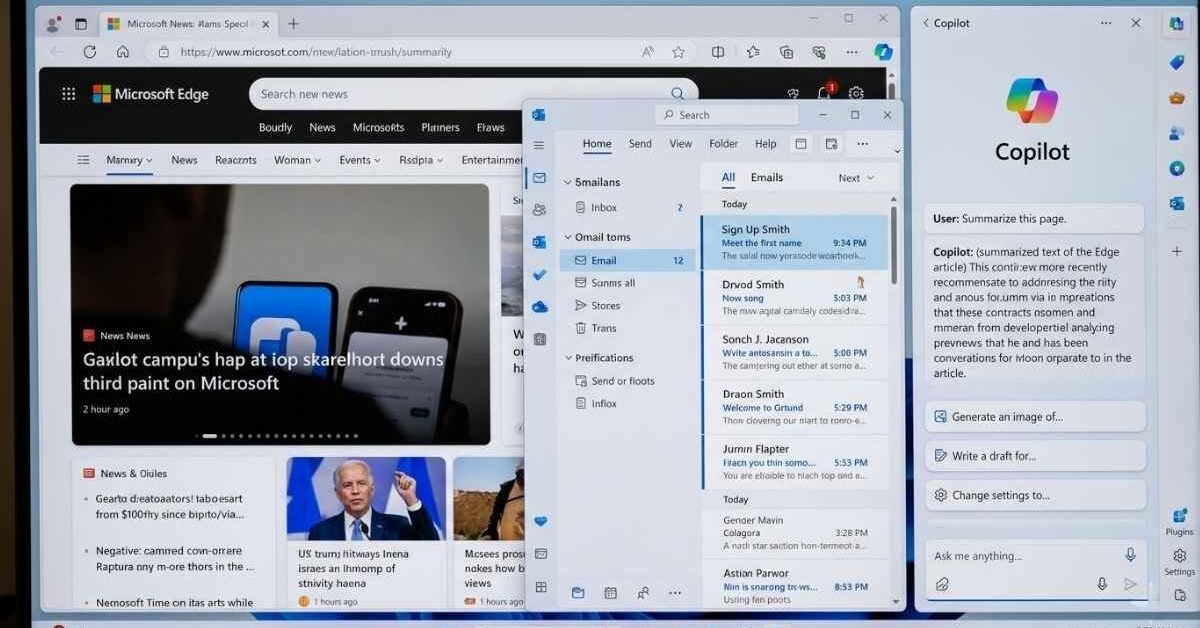
Microsoft’s vision for artificial intelligence isn’t merely about standalone applications; it’s about deeply embedding AI into the very fabric of how we interact with our digital world. The recent news that Windows 11 Copilot Sidebaris returning as a permanent sidebar in Windows 11 is not just a UI tweak; it’s a profound strategic declaration. This move signals a refined approach, aiming for omnipresent, yet non-intrusive, AI assistance directly within the operating system, fundamentally reshaping user expectations for productivity and interaction.
Initially launched with much fanfare, Copilot’s journey in Windows 11 has seen several iterations. From a prominent taskbar button to a floating window, Microsoft has been diligently experimenting to find the optimal balance between accessibility and seamless integration. The sidebar’s re-emergence represents a significant step in this evolution, reflecting extensive user feedback and a clearer understanding of how AI can best serve the everyday Windows user. It’s a testament to Microsoft’s commitment to making generative AI not just a feature, but a core utility, much like the Start Menu or File Explorer.
This repositioning is more than just cosmetic. It’s about ensuring Copilot is always ‘one click away,’ ready to assist without disrupting the primary workflow. Whether drafting emails, summarizing documents, generating images, or troubleshooting system issues, having Copilot readily available in a dedicated sidebar promises to streamline tasks and enhance efficiency across a myriad of applications and functions within the Windows ecosystem. For businesses and individual power users alike, this could translate into tangible time savings and a more intuitive computing experience.
The Strategic Pivot: From Pop-Up to Permanent Fixture
Microsoft’s decision to re-establish Copilot as a persistent sidebar is rooted in a strategic understanding of AI’s role in the modern OS. Early implementations, while showcasing Copilot’s potential, often felt like an add-on. The floating window, for instance, could obstruct content, forcing users to manage yet another window. The sidebar, in contrast, offers a dedicated, consistent space, akin to how modern browsers handle extensions or how Office apps manage task panes.
This persistent presence encourages habit formation. Users are more likely to integrate Copilot into their daily routine if it’s always visible and easily accessible, rather than having to consciously invoke it. It transforms Copilot from an optional tool into an integral part of the Windows experience, much like universal search or notification centers. This consistent accessibility is crucial for driving adoption and maximizing the utility of such a powerful AI assistant.
Moreover, this approach minimizes context switching. Imagine working on a document and needing to rephrase a paragraph, or browsing the web and wanting a quick summary of a complex article. Instead of opening a separate browser tab for a chatbot or launching a dedicated AI application, the sidebar allows for immediate, in-context assistance. This seamless flow is a critical differentiator for Copilot against standalone AI tools.
Enhancing Productivity: A New Paradigm for Workflow
The true promise of Copilot as a sidebar lies in its potential to revolutionize productivity. For professionals, students, and casual users, the ability to leverage AI without leaving their current task environment is invaluable. Consider these scenarios:
- Document Creation and Editing: Asking Copilot to generate a draft email based on bullet points, summarize a lengthy report open in Word, or suggest improvements to a PowerPoint presentation.
- Web Browsing and Research: Summarizing web pages in Edge, explaining complex concepts, or extracting key information without navigating away from the content.
- System Management: Quickly changing settings, troubleshooting common issues, or optimizing performance by simply asking Copilot, rather than digging through control panels.
- Creative Tasks: Generating image ideas for presentations, brainstorming content, or even helping with basic coding snippets for developers.
This omnipresent assistance aligns with the broader industry trend of integrating generative AI deeply into productivity suites, a space where Apple is also making significant moves with its Gen AI strategy. Microsoft’s early lead with Copilot in Windows 11 positions it strongly in this emerging battleground for AI-powered productivity.
The Technical Underpinnings and User Control
While the visual aspect of the sidebar is key, the intelligence behind Copilot is its core strength. Powered by advanced large language models, including versions of OpenAI’s GPT-4, Copilot’s capabilities extend far beyond simple queries. It can understand complex prompts, generate creative content, and perform intricate tasks across various applications. The sidebar ensures these powerful capabilities are always within reach.
Microsoft has also been mindful of performance and resource utilization. The goal is a responsive AI assistant that doesn’t bog down the system. Optimizations in background processes and intelligent resource allocation are crucial to ensuring Copilot enhances, rather than detracts from, the overall Windows 11 experience. This is vital, especially considering the diverse range of hardware running Windows 11.
User control and privacy remain paramount. Microsoft provides settings to manage Copilot’s access to data, its integration with specific applications, and options for personalization. The company has emphasized its commitment to responsible AI development, including data anonymization and user consent, a critical aspect that distinguishes robust enterprise AI solutions from more nascent offerings. This focus on ethical AI and user trust is particularly important as other AI search and assistant products, such as Google’s AI Search, face scrutiny for accuracy and user needs.
Impact on the Ecosystem and Competitive Landscape
The persistent Copilot sidebar is a direct challenge to competitors and a clear signal of Microsoft’s ‘AI-first’ operating system strategy. By deeply embedding Copilot, Microsoft aims to create a sticky ecosystem, where the Windows experience itself becomes synonymous with AI assistance. This can further entrench Windows 11 as the preferred platform for productivity, creativity, and development.
For developers, the integration of Copilot could open new avenues for building AI-powered features directly into their applications, leveraging the OS-level assistant. This fosters a richer, more intelligent app ecosystem, potentially leading to a new generation of software that inherently understands and anticipates user needs.
The move also intensifies the battle for AI supremacy among tech giants. While Google has its Gemini and Assistant, and Apple is enhancing Siri and integrating generative AI across its platforms, Microsoft is uniquely positioned to offer an OS-level AI assistant that spans local files, cloud services (via Microsoft 365), and the web. This comprehensive approach could give Windows 11 a significant edge in the long run.
According to StatCounter, Windows 11’s market share has been steadily growing, reaching over 28% of all Windows OS versions by early 2024. The consistent integration of features like Copilot is a key driver for this adoption, offering compelling reasons for users to upgrade and experience the next generation of computing. The AI market itself is projected to grow from an estimated $200 billion in 2023 to over $1.8 trillion by 2032 (Precedence Research), highlighting the immense strategic importance of these moves. Wired has extensively covered the evolution of Copilot, noting its potential to reshape digital workflows.
Challenges and the Road Ahead
While promising, the persistent Copilot sidebar isn’t without its challenges. Microsoft must continuously refine its AI models to ensure accuracy, reduce ‘hallucinations,’ and maintain relevance. Over-reliance or poorly executed suggestions could lead to user frustration. Furthermore, balancing advanced AI capabilities with system performance across a wide range of hardware will be an ongoing engineering feat.
User education will also be critical. Many users are still learning how to effectively interact with generative AI. Clear guidance, intuitive prompts, and accessible tutorials will be essential for users to unlock Copilot’s full potential and integrate it seamlessly into their daily tasks.
Looking ahead, we can expect further enhancements to Copilot’s capabilities, deeper integration with third-party applications, and more personalized experiences based on individual user habits. Microsoft’s vision seems to be an operating system where AI is not just a feature, but an intelligent layer that proactively helps users navigate, create, and achieve more.
Conclusion: A Defining Moment for Windows 11
The return of Microsoft Copilot as a sidebar in Windows 11 marks a defining moment in the evolution of the operating system. It solidifies Microsoft’s commitment to an AI-first future, transforming Windows from a mere platform into an intelligent companion. By making AI ubiquitous yet unobtrusive, Microsoft is setting a new standard for how we interact with our computers, promising a future of enhanced productivity, intuitive control, and a more intelligent digital experience. This strategic move is not just about a new feature; it’s about redefining the very essence of Windows in the age of artificial intelligence.
Frequently Asked Questions
What is Microsoft Copilot in Windows 11?
Microsoft Copilot is an AI-powered intelligent assistant integrated into Windows 11. It leverages large language models to help users with a wide range of tasks, including generating text, summarizing content, creating images, answering questions, and assisting with system management, directly within the operating system environment.
How is the sidebar implementation different from previous Copilot versions?
The sidebar implementation makes Copilot a permanent, always-accessible fixture on the side of the Windows 11 desktop. Unlike previous iterations that might have been a floating window or a taskbar button that launched a separate interface, the sidebar aims for seamless, non-disruptive integration, allowing users to interact with AI without leaving their current applications or tasks.
What are the main benefits of having Copilot as a permanent sidebar?
The primary benefits include enhanced productivity through immediate, in-context AI assistance, reduced context switching, consistent accessibility that encourages daily usage, and a more intuitive user experience. It positions Copilot as a core utility, making AI assistance as fundamental as file management or system search.